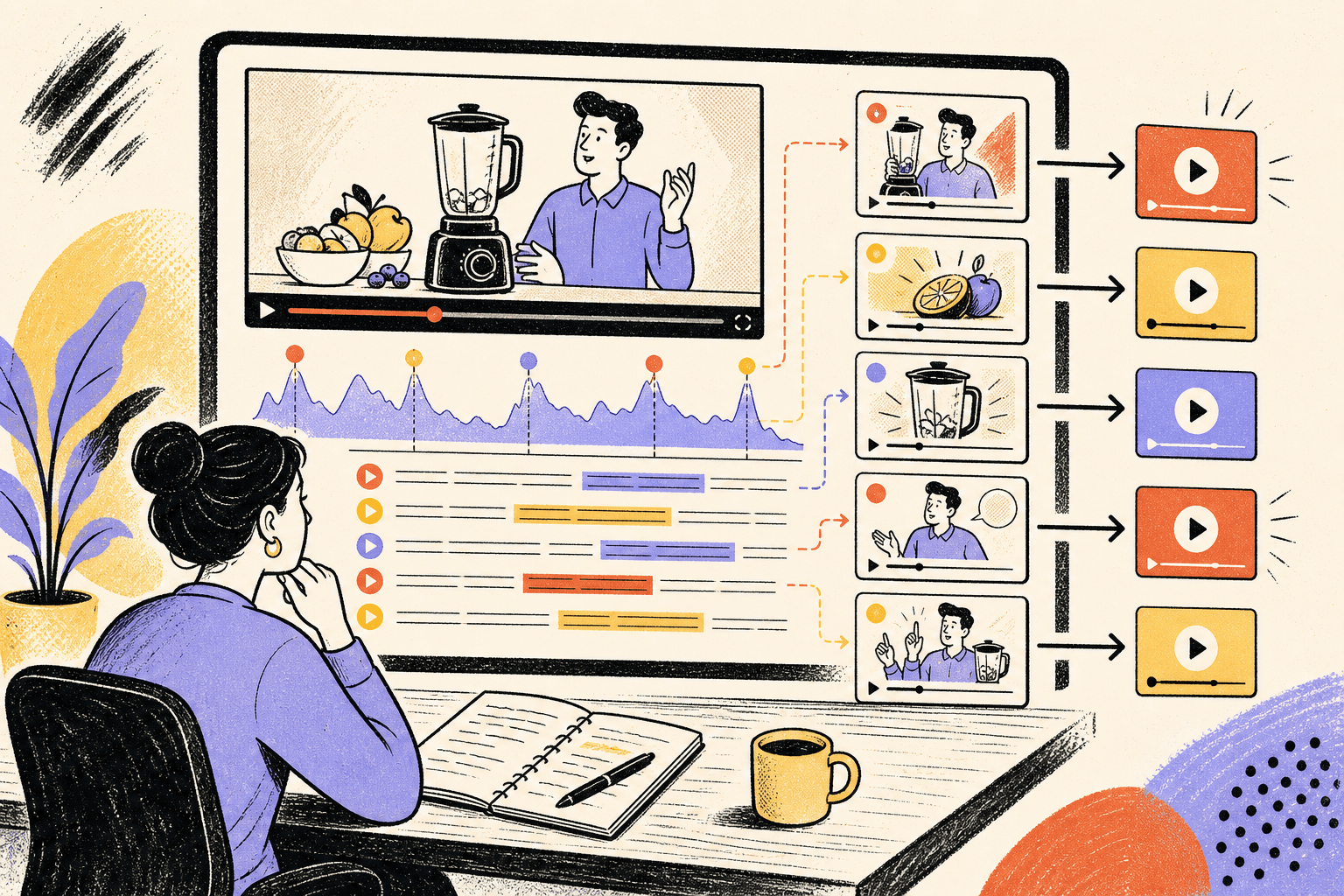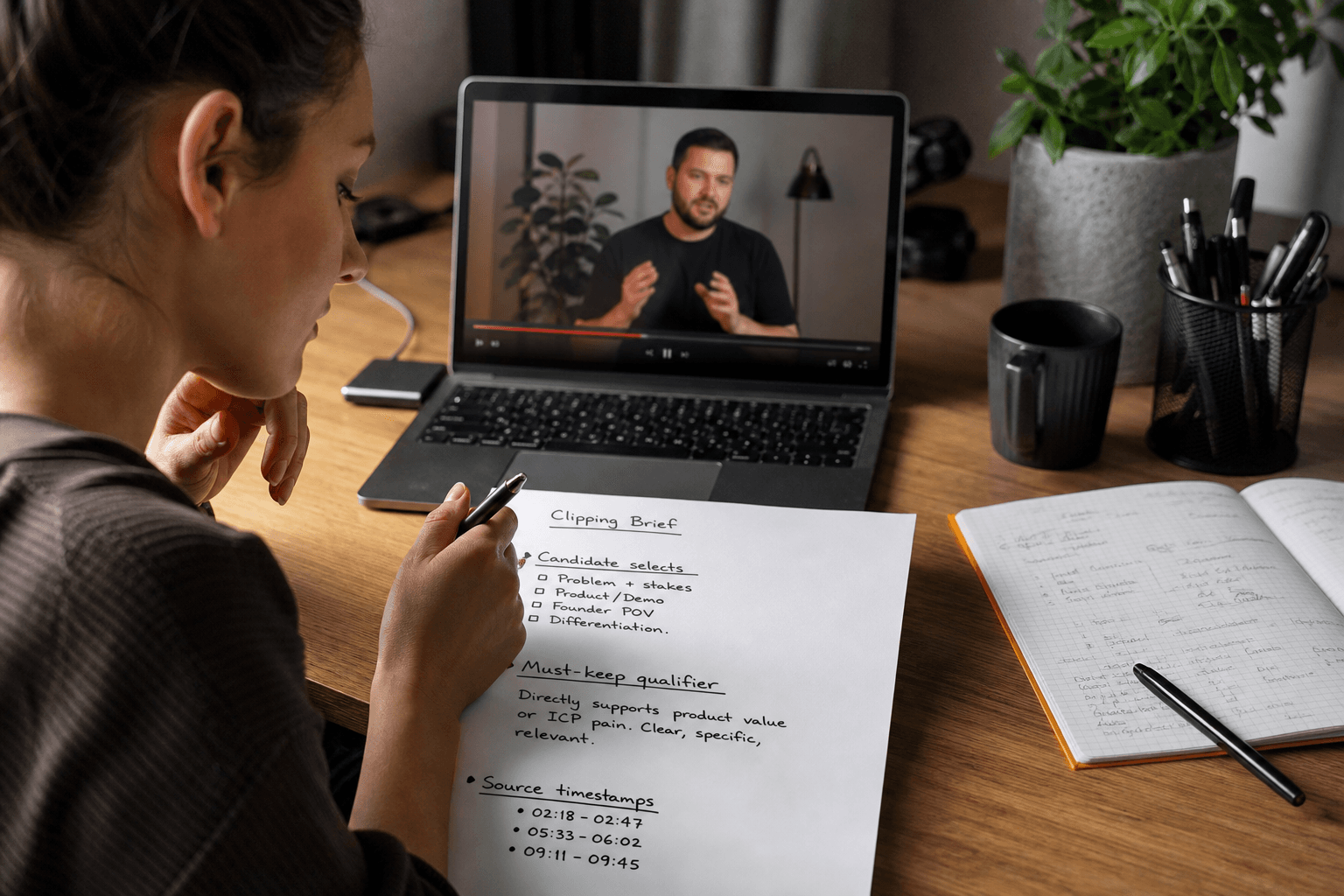
A common failure looks polished right up until your team tries to use it.
You send a webinar, founder interview, podcast, or creator demo to a clipping provider with a vague instruction to “pull the best moments.” The edits come back sharp. The captions are clean. Then somebody notices the clip cut out the sentence that made the claim accurate, or the best line depends on a slide that is no longer visible, or nobody can match Clip 7 back to the source recording without scrubbing through 48 minutes of footage.
That is usually not an editor problem. It is a briefing problem.
If you are comparing clipping service deliverables, do not start with style. Start with judgment and handoff. The first brief should answer three questions before anyone opens a timeline: who chooses the moments, what context has to survive the cut, and what the final delivery must include so your team can approve, publish, and reuse it without rebuilding the work internally.
Decide who chooses moments before you discuss clip count
A good editor can spot energy, pacing, and a clean sentence. That is not the same as knowing which product line needs a qualifier, which founder answer your category can defend, or which “great moment” would create avoidable trouble in paid review.
Most brands end up choosing among three models.
- Client-picked selects: best when the footage is sensitive, technical, or full of claims that need careful review.
- Provider-proposed selects with client approval: best when you need speed but still need a brand-side filter.
- Provider autonomy inside written rules: best when the footage is repetitive, clear, and low-risk.
The mistake is assuming one model is always better. The right choice depends on what is expensive for you.
If your main cost is internal review time, give the provider room to propose candidates. If your main cost is getting product truth wrong, keep approval closer to the brand.
For example, imagine you sell skincare and have a 42-minute founder interview. Some answers are harmless routine talk. Others touch ingredient outcomes, skin concerns, and who the product is for. In that case, the sensible brief is not “find 20 hooks.” It is something like this:
Editor to propose 18 candidate moments from the founder interview. Brand team approves any clip that mentions ingredient effects, skin concerns, or comparisons to other routines. Do not clip jokes, setup chatter, or lines that depend on a slide or product shot not visible in frame.
That wording does two useful things. It gives the editor freedom where freedom is cheap, and it keeps decision rights where a bad cut creates more work later.
This is also where it helps to think in complete thoughts rather than highlights. Zagged’s guide on making each short worth watching is worth reading before you brief a provider, because it explains the difference between a moment with energy and a moment that can stand on its own for a viewer who never saw the original.
Read the video transcript
You hire a clipping service to save time, then your team still has to rebuild the work because a sharp edit dropped the sentence or visual that made it usable. The article argues style isn't the first decision. What matters earlier is who picks moments, what context must stay, and what delivery helps approval and reuse. In the article's skincare example, a founder interview includes harmless chat and sensitive product claims, so the editor proposes candidates while the brand approves anything riskier. That matters because energetic lines can mislead once cut down. If advice only fits a certain audience, the setup or proof has to survive the edit. So the first brief should request clip IDs, source timestamps, captions, crops, and notes on uncertain wording or visuals, because cleaner handoff reduces slow detective work later. The takeaway is simple: don't just buy tasteful cuts. Buy a workflow your team can approve, publish, and reuse without guessing what was cut or why.
The clip has to keep the part that makes it true
The second decision is what context cannot be removed.
In clipping, “context” usually means one of four things: the setup, the qualifier, the proof point, or the visual that makes the sentence intelligible. If you do not name which of those must stay, the editor will make that call for you. Sometimes that works. Sometimes it produces a clean, punchy clip that says the wrong thing.
Say you sell a sleep product and you want Instagram Reels and TikTok clips from a founder interview. One sentence sounds made for social:
“Most people don’t need a more expensive setup.”
As a standalone clip, that is broad enough to cause trouble. More expensive than what? For whom? Based on what problem?
A better brief note is dull in exactly the right way:
Keep the audience-defining sentence before any recommendation. If the speaker says who the advice applies to, that setup stays in. Do not cut to the conclusion first if it turns a specific recommendation into a universal one.
That changes the edit itself.
Weak cut:
“Most people don’t need a more expensive setup.”
Better cut:
“If you’re a hot sleeper in a small apartment, most people in that situation don’t need a more expensive setup. Start with airflow and fabric before you upgrade the whole bed.”
The second version is slightly less dramatic. It is also more publishable.
That same example should carry through to review. If the provider sends only the exported MP4, your team still has to verify whether the audience qualifier survived in every version. If the handoff includes source timestamps and a brief note on what was preserved, review gets much faster. More on that in a minute.
A second example shows why context is often visual, not just verbal.
Imagine you sell a countertop storage product and you are clipping a creator demo for TikTok and Instagram. The best spoken line might be:
“This is the only part that actually matters.”
Fine, except the creator is holding the removable seal ring just below frame for the first second, and the vertical crop now centers the face instead of the product.
That is not a copy problem. It is a context problem created in the edit.
Your brief can prevent it:
Any line referring to a product part, amount, texture, or fit must keep the matching visual in frame within the first two seconds. If the proof depends on a close-up, keep the close-up even if it means a less aggressive punch-in on the speaker.
Again, not glamorous. Very useful.
This matters on YouTube as well, for a different reason. YouTube’s monetization guidance says reused content is material repurposed from YouTube or another online source without significant original commentary, substantive modifications, or educational or entertainment value, and its examples make clear that clips with little or no narrative are risky while edited footage with added storyline or commentary may be acceptable in some cases (YouTube monetization policies on reused content). That does not mean every repurposed clip is a policy issue, and it does not mean captions alone solve it. It does mean your brief should say whether a clip needs framing text, commentary, or another layer of transformation to stand alone on YouTube.
If you plan to use clips as Shorts, YouTube’s current help documentation also confirms that videos uploaded on or after October 15, 2024 with a square or vertical aspect ratio and up to three minutes in length can be categorized as Shorts (YouTube help on three-minute Shorts). Useful platform fact. Not creative advice. It tells you what is eligible, not what will work for your audience.

Format specs matter, but they are not the main buying decision
Most providers can export vertical video. That is table stakes, not the decision.
The reason platform specs still belong in the first brief is that they affect the handoff. YouTube recommends uploading in the video’s native aspect ratio and supports non-16:9 uploads without forcing you to add letterboxing or pillarboxing (YouTube recommended upload settings). TikTok for Business recommends full-screen 9:16 creative and checking safe zones so important text does not sit under interface elements (TikTok creative tips).
That evidence supports a simple decision: ask whether the provider is delivering native vertical masters, alternate crops where needed, and text placed safely for mobile UI. It does not support a bigger claim that one aspect ratio or one clip length will perform better for every brand.
If a provider talks a lot about hooks and almost nothing about crop logic, captions, timestamps, or review flags, they may still be talented. They may also be handing your team more cleanup work than you expected.
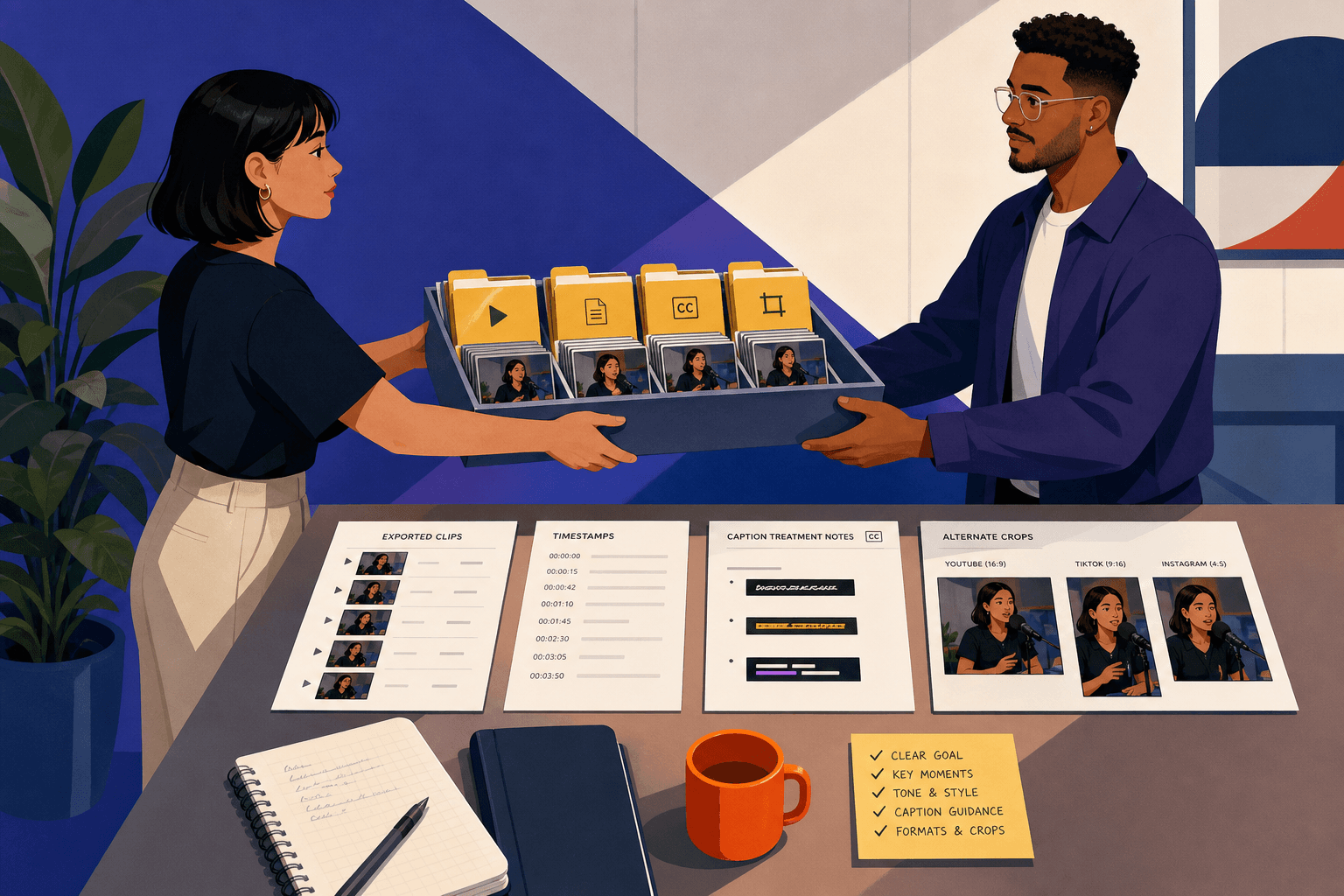
What usable clipping service deliverables should include
A usable delivery is not just a folder of MP4s.
If your team needs to approve the work, route it to compliance, test variants, or turn strong organic cuts into paid candidates later, the handoff should make that possible. The exact package will vary by workflow, but the useful questions are consistent.
Ask for:
- clear clip IDs or filenames
- source start and end timestamps for every delivered clip
- exported masters in the intended aspect ratio, plus alternate crops if you need them
- a stated caption approach: burned-in, separate caption file, or both
- brief review notes on uncertain wording, claims, pronunciations, or missing visuals
- a note when the editor rebuilt a segment with framing text, commentary, or another element to make it stand alone
Here is wording you can use almost verbatim:
Deliver 12 vertical masters for TikTok and Instagram Reels, plus a source reference sheet with start and end timestamps from the original recording for each clip. Use filename format BRAND_TOPIC_CLIP01_v1. Burn in captions unless a line is visually crowded; flag those clips for alternate treatment. Include review notes where a clip depends on missing B-roll, unclear audio, uncertain claim wording, or a visual crop choice that affects product understanding.
Now bring back the sleep-product example. Suppose the provider submits Clip 04 with the broader line, “Most people don’t need a more expensive setup.” If the handoff includes timestamps and notes, your reviewer can see that the original answer contained the missing qualifier and send one precise change:
Clip 04: restore the opening phrase defining who this advice applies to. Source answer at 13:42 includes the audience qualifier we need for approval.
Without that handoff, the reviewer has to hunt through the source file, explain the issue from scratch, and hope version two fixes the right thing.
That is why deliverables are part of the buying decision, not an afterthought.
Paid use needs a stricter handoff than organic use
If the clips are only for organic posting, you can usually tolerate lighter naming and fewer notes. If a clip might become a paid test later, start with a stricter package.
The difference is not moral seriousness. It is cost of ambiguity.
For example, imagine you are repurposing a 50-minute ingredient explainer into YouTube Shorts and paid social candidates. A sensible brief note might read:
For broad educational clips, organic-first edits are fine. For any clip mentioning a product outcome, comparison, or usage claim, include source timestamp, exact spoken line in review notes, and a second export without animated text overlays in case we need a cleaner paid version.
Notice what changed. Not the creative idea. The reviewability and reuse.
If you are also comparing clipping providers with broader content partners, it helps to separate “can they cut clips?” from “can they hand off assets in a way our team can use next week?” Zagged’s clipping and repurposing process is a useful example of the workflow questions to ask any provider: how selects are chosen, what edit scope is included, and how the work comes back to your team.
The same buying logic shows up in adjacent production work too. Zagged’s guide on comparing ready-to-post UGC scope before price is about UGC rather than clipping, but the point transfers neatly: scope and handoff often create more internal work than the headline price suggests.
One more brief note if AI-altered edits are even possible
If a provider might add realistic synthetic inserts, altered voice, or generated scenes to make a clip work, settle that before editing starts.
On YouTube, creators are required to disclose realistic AI-generated or meaningfully altered content in certain situations, such as making a real person appear to say or do something they did not do, or generating a realistic event that did not occur. YouTube also says routine production help like caption creation, sharpening, or voice repair does not automatically require disclosure on its own (YouTube guidance on GenAI disclosure). That is a YouTube-specific fact, not a blanket rule you should casually transfer to TikTok or Instagram.
The practical brief note is straightforward:
No synthetic person, voice imitation, or realistic generated event inserts without prior written approval. For YouTube use, flag any meaningfully altered realistic footage for disclosure review before export.
You may never need that line. If you do need it, you will want it in writing before the first draft arrives.
When in-house clipping is the better buy
Not every team should hire this out.
If your footage is short, the product is nuanced, and your team learns a lot by reviewing source material directly, in-house clipping may be the smarter option. That is especially true when one marketer already knows exactly which answers are safe, persuasive, and complete.
Outside help tends to earn its keep when you have volume, repetition, and a backlog that keeps capable people doing timeline work instead of campaign work. If you have hours of footage and a clear review standard, a clipping partner can remove a real bottleneck. Just do not outsource selection judgment by accident.
And if you are not clipping long-form at all but commissioning new creator-led footage, that is a different scope. Zagged’s human UGC service is a separate offer from clipping and is worth evaluating on creator fit, edit scope, and usage rather than assuming repurposing and net-new creator production are the same purchase.
What to put in the first brief
Before the first round starts, send the source files, intended placements, selection model, no-go claim categories, and examples of what counts as a complete thought for this project. Then make the handoff requirements explicit: timestamps, filenames, crops, captions, and review notes.
If you only make one decision this week, make it this one: decide whether you are buying editing taste, selection judgment, or a review-ready delivery package. Most clipping services can provide some editing taste. The useful providers make the other two clear before they start.
If you already have source footage and need to sort out the workflow rather than just order edits, review Zagged’s clipping and repurposing process and use the contact page for a scope conversation once you can state who picks moments, what context must survive, and what a usable handoff looks like for your team.
Clipping selection planner
Decide which moments deserve to become separate videos before an editor starts cutting. Complete one copy for each candidate clip.
Watch beyond the proposed in and out points. A strong sentence may rely on context elsewhere in the recording; keep that context or choose another moment.
See a completed example
- Source recording and candidate timecodes
- Example: Product interview, 12:40–14:05. Speaker explains why customers hesitate before their first purchase.
- One question this clip answers
- What should someone measure before ordering this product? Keep the answer narrow enough to stand alone.
- Context that must survive the cut
- Keep the product category and the condition attached to the recommendation. Remove the introduction only if a new viewer can still follow the answer.
- Opening and ending
- Open on the concrete decision, then preserve the explanation that supports it. End once the answer is complete, rather than forcing a cliffhanger.
- Reframing and supporting visuals
- Check whether the speaker and demonstrated object remain visible in a vertical crop. Add an accurate close-up only where it clarifies the explanation.
- Destinations and exports
- Name the intended Shorts, Reels or TikTok placements. Request readable captions and a clean master; verify each platform’s current requirements.
- Context and accuracy review
- Have someone who has not watched the full recording explain the clip’s point. Rework it if they infer a different claim or cannot identify the subject.
Make your own brief
Your entries stay in this tab. Download before leaving; they are not saved or sent to Zagged.
Sources & further reading
- YouTube recommended upload encoding settingssupport.google.com
- Understand three-minute YouTube Shortssupport.google.com
- TikTok for Business creative tipsads.tiktok.com
- YouTube channel monetization policiessupport.google.com
- Disclosing use of GenAI content on YouTubesupport.google.com
Published by Zagged Editorial. Examples are illustrative unless a source is identified. Updated .