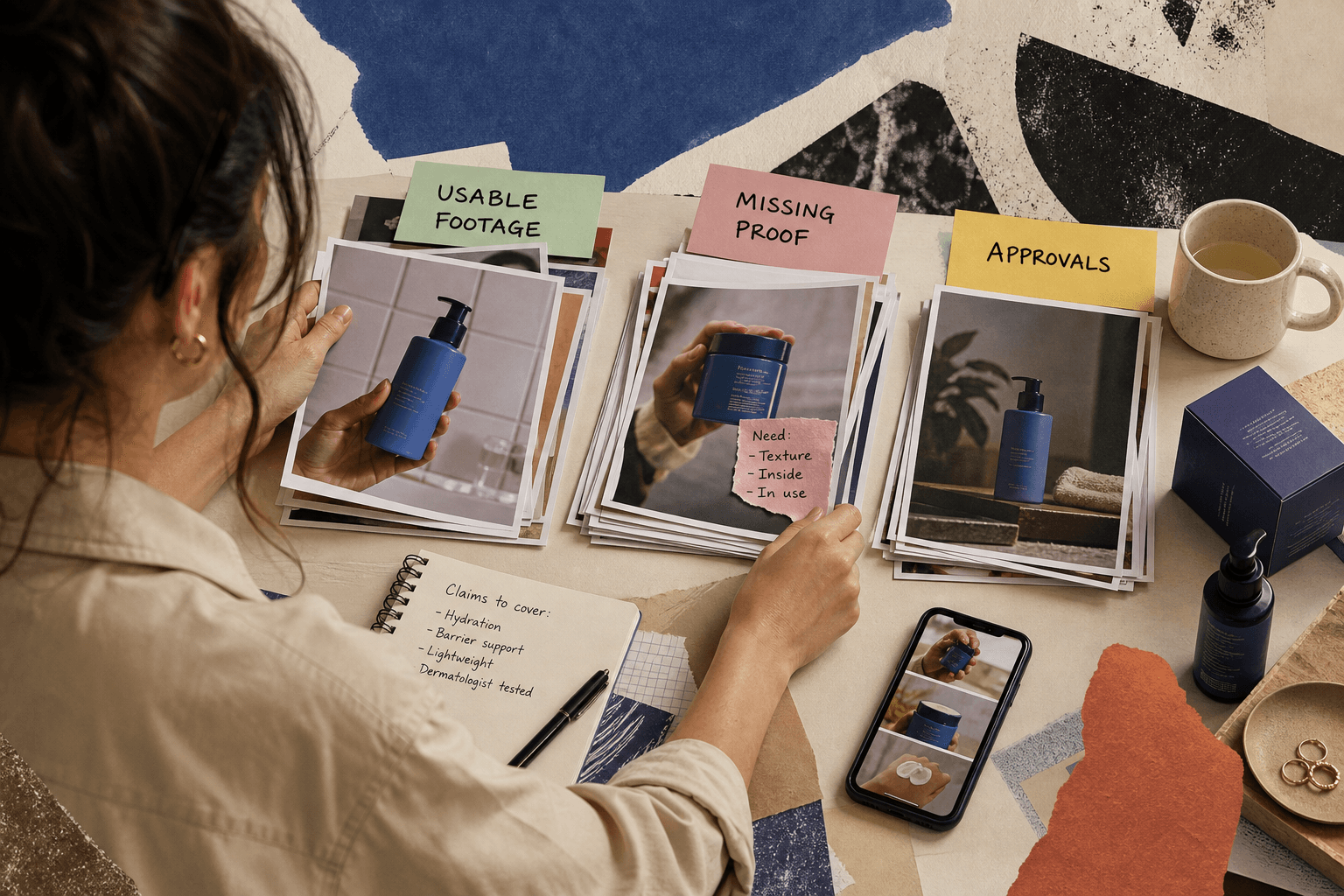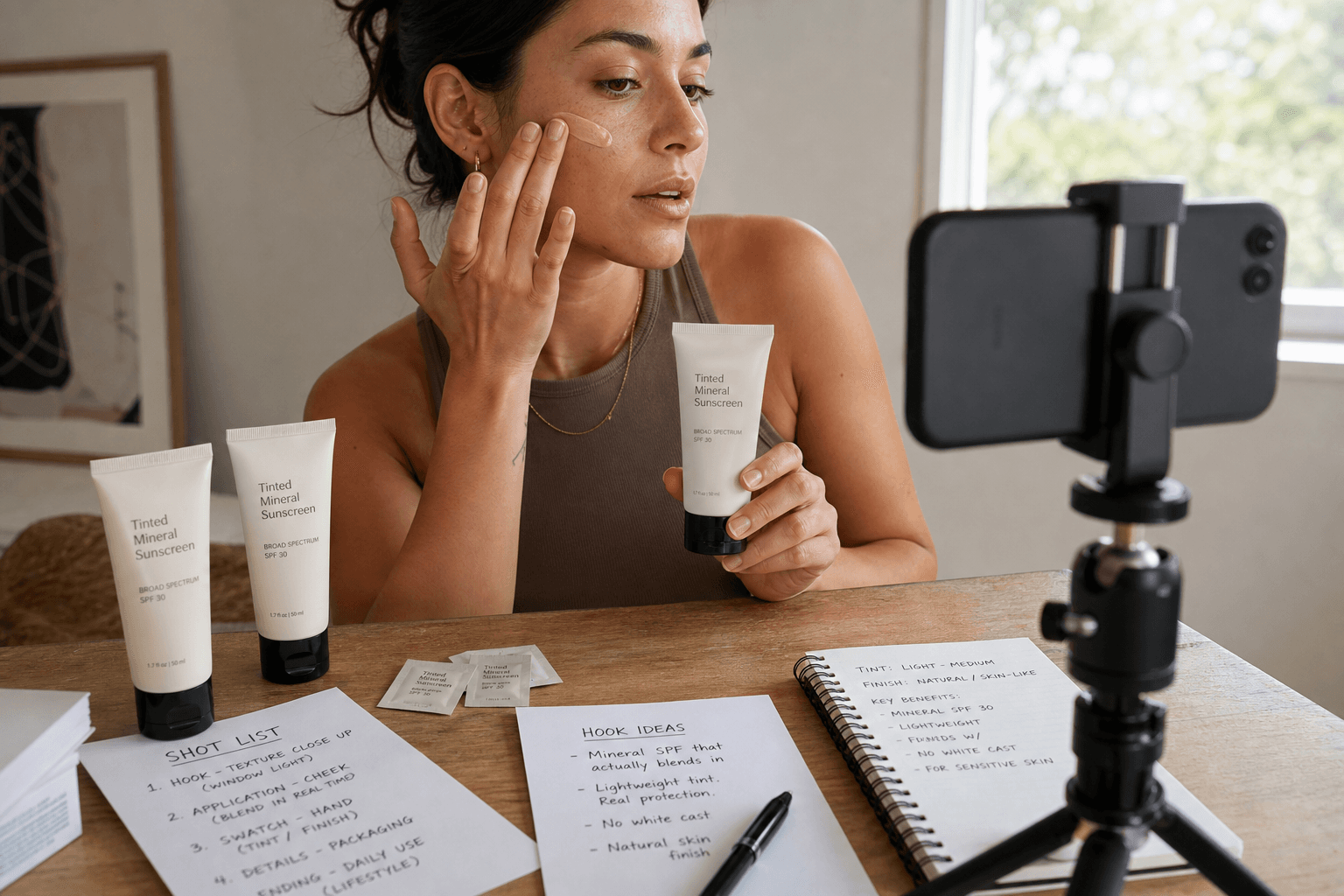
Facebook ad creative editing starts with one uncomfortable question
The expensive version of this decision usually sounds reasonable: the campaign is live, one or two ads are underwhelming, and someone decides the brand needs fresh footage. Maybe it does. But plenty of teams book a reshoot when the real problem is that the existing asset was never edited for Facebook in the first place.
If the product is already on camera, the claim is still true, and the footage contains usable proof, start with Facebook ad creative editing, not a new shoot. Meta’s own guidance supports testing multiple creatives and adapting assets for placements such as Reels and Stories, including vertical formats and safe-zone awareness for important visual elements (Meta Reels ad guidance, Meta campaign optimization guidance). That points to packaging, cropping, sequencing, and variation as editing work first.
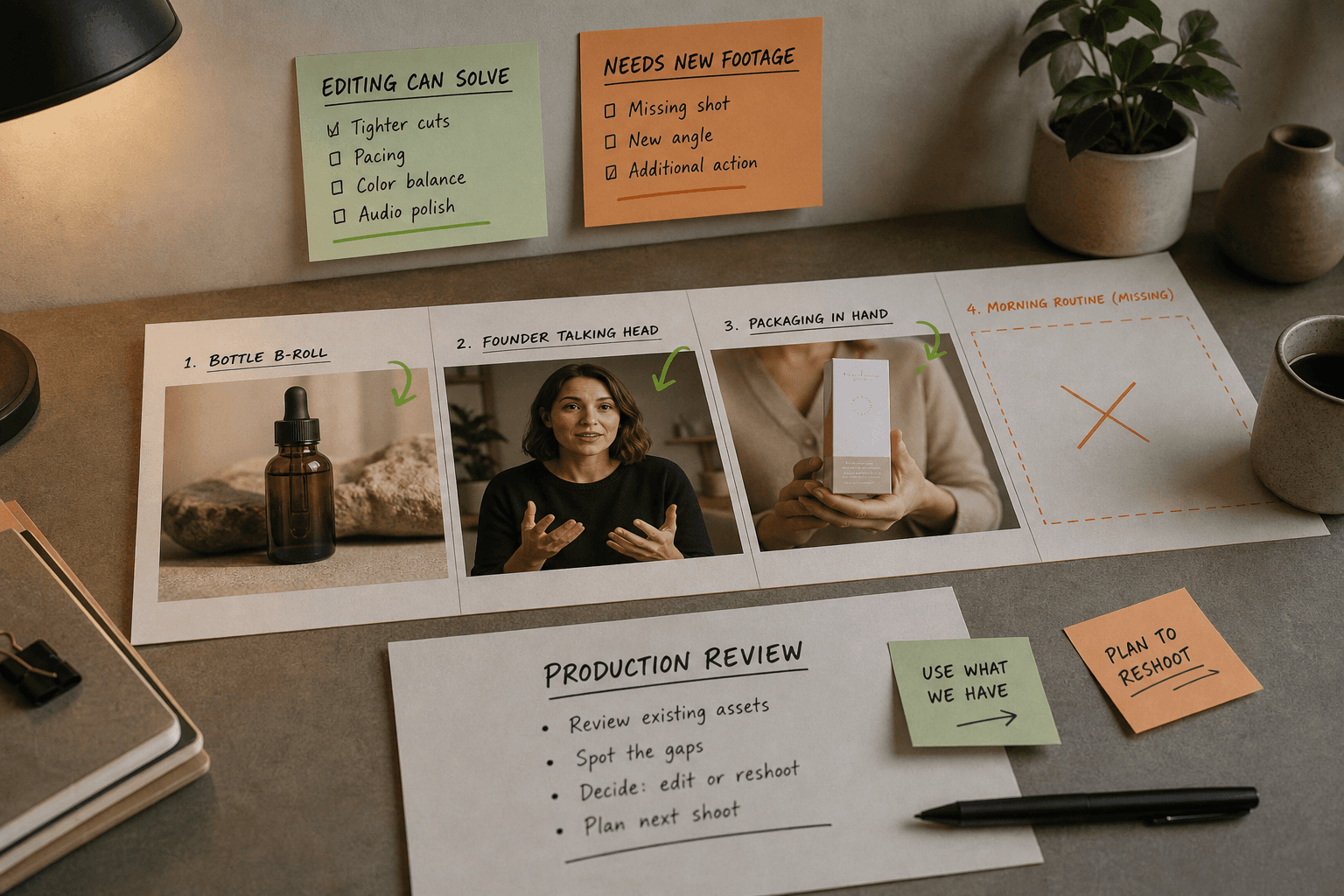
Choose a reshoot when the footage cannot do the honest job. If you can’t clearly show the product, can’t demonstrate the use case, or would need increasingly imaginative overlays to imply proof that was never filmed, stop asking the timeline to save you. It won’t.
If you’re still sorting out whether the bottleneck is editing capacity or something upstream, Zagged’s guide on when to outsource ad creative editing is worth reading before you brief anyone. It helps separate a cut problem from a footage problem, which is the whole game here.
Look at the asset as Facebook will actually show it
The first review should answer a narrow question: what is this ad failing to communicate on Facebook, in the placements we plan to use?
That sounds obvious, but teams often review an ad as if it were a single polished object. It isn’t. The same source footage may appear in Feed, Stories, and Reels-style environments with different framing, interface overlays, and sound expectations. Meta specifically recommends adapting creative to placement and keeping key elements inside safe zones for immersive placements (Meta Reels ad guidance).
So inspect the current edit for four things.
First, when does the viewer actually understand the product? Not when the logo appears, not when the creator says hello, and not when the copywriter insists the “brand world” has been established. When does a distracted person know what they’re looking at and why it matters?
Second, does the ad survive silent viewing? Sound can help, but the structure should not collapse if the viewer never hears the first line.
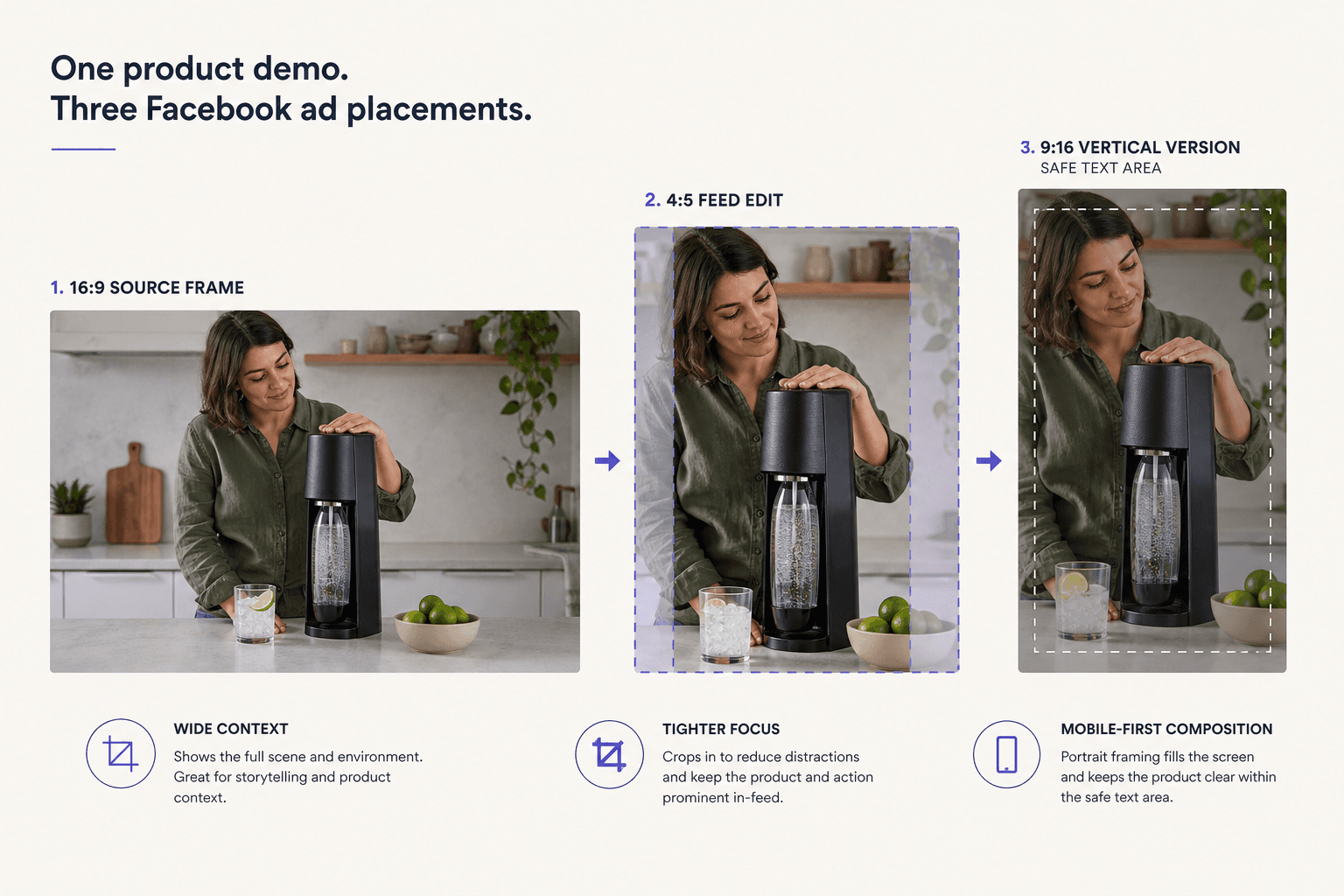
Third, does the crop damage meaning? A workable 16:9 edit can become nearly useless in a vertical placement if the hands, package, texture, or result sit near the edges.
Fourth, are you judging a concept from one cut? Meta recommends ongoing creative testing and A/B testing rather than relying on a single static asset (Meta campaign optimization guidance). If you only made one version, weak performance may tell you less about the footage than about the very thin test you gave it.
Read the video transcript
When a Facebook ad underperforms, it’s easy to assume you need new footage. Often the real problem is simpler: the product wasn’t edited for Facebook placements. Review the ad as it appears in Feed, Stories, or Reels, because crops, overlays, and silent viewing can hide the product or weaken the proof. Better edits usually change the opening, crop, text, and shot order. That helps distracted viewers understand the product sooner, without inventing evidence the footage never captured. Imagine a barrier cream ad where creators introduce themselves before showing the jar. An editing-first pass would move texture and application earlier, then export 4:5 and 9:16 versions. If a supplement ad must show a believable morning routine, but your library only has bottle shots and a founder explainer, editing can’t honestly create that proof. Pull one ad into review and mark when the product becomes clear, where the crop hurts meaning, and when proof appears. If timing solves it, edit first.
What to change before you spend money on new footage
Editing is the right first move when the footage is truthful but badly arranged for paid social. In practice, that usually means changing the opening, the crop, the text, the order of proof, and the number of versions.
Rebuild the opening around the product, not the introduction
Most weak social ads don’t need a new message. They need a less leisurely start.
Say you sell a stain-removing laundry stick. The current Facebook ad opens with a creator smiling into camera and saying, “Hey guys, I’ve been trying this for a few weeks.” The product appears at second seven.
A better edit note is blunt enough to be useful:
- First frame: shirt cuff with a visible makeup stain
- Second shot: product touching the stain
- On-screen text: “Why I keep this in my bag”
- Voice line trimmed to: “I use this when I catch a mark before laundry.”
Same footage. Different order. Different burden on the viewer.
If you want a cleaner way to test openings without changing six other things at once, Zagged’s article on hook testing and learning what changed is written about TikTok, but the discipline transfers well to Facebook ads: change one opening question at a time so the next brief reflects an actual finding, not a vague preference.
Reframe for the placements you plan to buy
This is one of the most common reasons editing beats a reshoot. Meta’s placement guidance exists because composition that works in one environment may become harder to read in another (Meta Reels ad guidance).
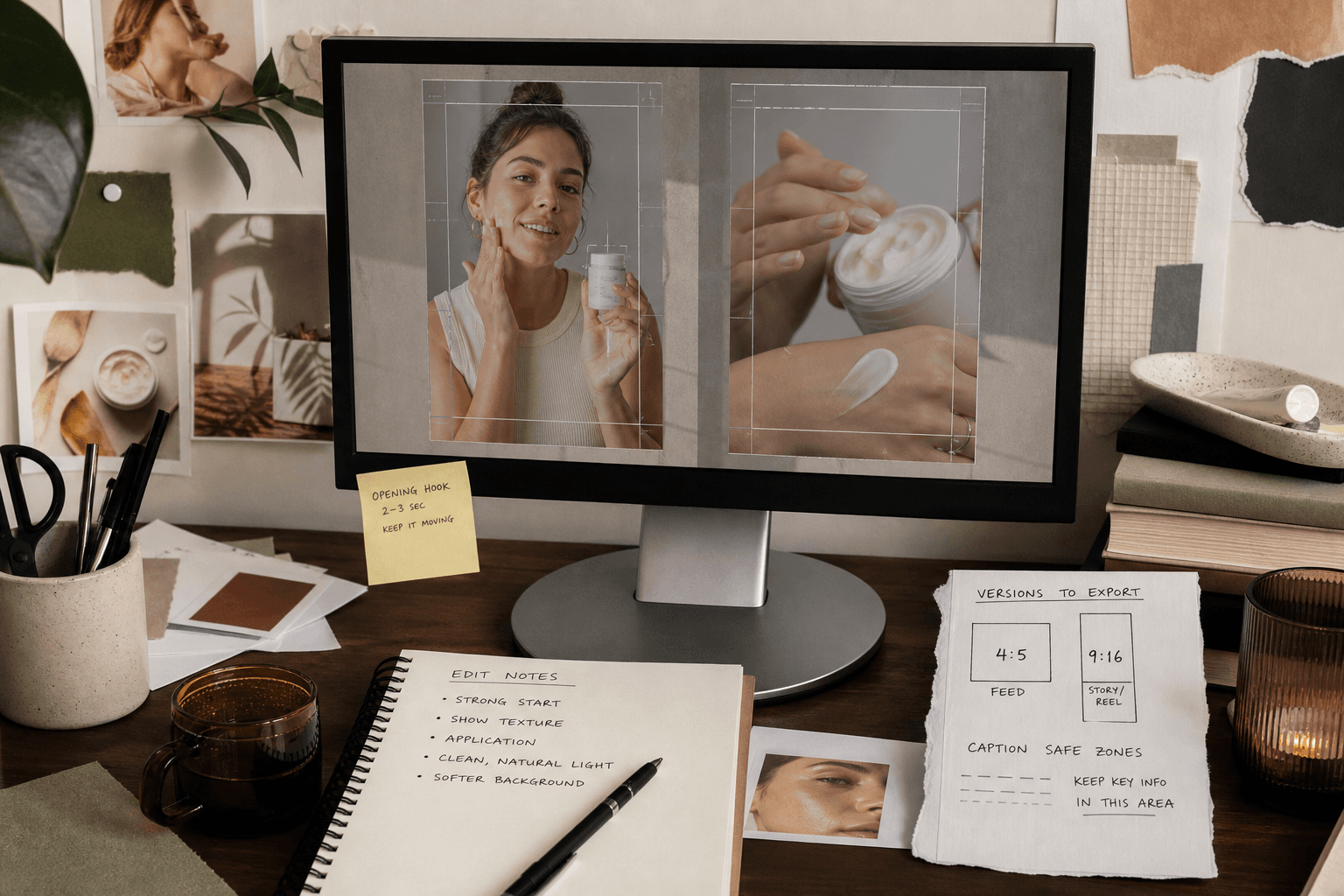
For Facebook, that usually means making deliberate versions rather than forcing one export everywhere. A 4:5 Feed cut may keep package detail intact. A 9:16 version may need tighter crops, larger captions, and fewer competing elements in frame.
Reshoot only when reframing destroys the proof. If the demonstration depends on wide composition, tiny product detail, or side-by-side context that collapses in vertical crops, that is not an editor being difficult. It means the shoot didn’t capture what your intended placements require.
Cut the text down and move it somewhere sane
Meta notes that text and headlines can display differently in the ad interface and may be cut off depending on length and placement (Meta campaign optimization guidance). That should change the way you write edit notes.
“Make the text pop” is not an edit note. It’s a future disagreement.
A note that helps sounds like this:
“Replace the three-line ingredient explanation with one line over the jar shot: ‘Fragrance-free balm for dry patches.’ Put the offer on the end card. Keep captions clear of the bottom interface area.”
That tells the editor what the text needs to do, where it belongs, and what to cut.
Move the proof forward
Editing can fix sequencing more often than teams expect. When a cut spends too long on atmosphere and too little on evidence, try moving the proof up before you approve a reshoot.
For example, imagine you sell a magnesium lotion. The raw material includes a founder talking to camera, close-ups of the jar, someone applying the lotion to calves after a run, shelf shots in a bathroom, and packaging in hand.
If the current ad opens on shelf footage and doesn’t show use until second nine, an editing-first version might run like this:
- lotion applied to calves after a run
- on-screen text: “Part of my post-run routine”
- founder line cut to one sentence: “We made this for people who want a simple evening ritual.”
- package shot in hand
- final card with the offer
The claim hasn’t changed. The order of proof has.
Ask for a set of versions, not one cleaner master
Meta’s testing guidance matters here because the useful output is usually not one prettier file. It’s several fair variants built from the same truthful footage (Meta campaign optimization guidance).
For Facebook, that often means a small family of edits: two or three opening hooks, a shorter cut, a caption-led version for silent viewing, and placement-specific crops. If your source material can support that, editing is doing the right job.
Worked example: a skincare ad that should be re-edited first
Say you sell a barrier cream and already have six creator-shot videos. Every creator spends too long introducing themselves, the jar appears late, and the team exported one generic 16:9 cut.
This is an editing-first decision.
Round one could include three opening versions:
Version A opens on fingertip texture with: “If your skin gets tight by 3pm, this is what I reach for.”
Version B opens on dry patches being dabbed with: “Desk drawer product, not vanity product.”
Version C opens on the jar entering frame with: “For the days your skin won’t cooperate.”
Then make two structural changes. Move the application shot ahead of any creator introduction. Build separate 4:5 and 9:16 exports with larger captions and simpler text placement.
Now review what changed. Did the product become legible earlier? Can a viewer understand texture, package, and use case without sound? Do the crops preserve the reason to believe?
A decision note at this point might read:
“Do not reshoot yet. Existing footage supports three opening tests, two placement crops, and a caption-led silent version. Reassess only if reviewers still can’t tell when they’d use the product.”
That note is specific enough to approve work and specific enough to stop it later if needed.
Worked example: a supplement ad that needs new footage
Now take a different case. Say you sell a supplement and the asset library contains polished bottle b-roll, a founder explainer, and clean packaging shots. The campaign brief says the ad needs to show how the product fits into a believable morning routine.
Editing can still improve these assets. You can shorten the founder section, build vertical versions, test different hooks, and tighten captions. But if no current footage shows a real person actually incorporating the product into a routine, the ad is missing a kind of proof the edit cannot invent.
The useful brief excerpt here is plain:
“Current assets are sufficient for explainer variants. They are not sufficient for routine-integration proof. Commission new creator footage rather than implying daily use through bottle shots and overlays.”
That same example also clarifies the next production choice. If the campaign needs a real person genuinely handling the product, that is a human-footage problem, not an AI-editing problem. If you reach that point, review human UGC with a real creator and edited delivery. Zagged’s public UGC offer includes a concept and hook, a real creator, editing and captions, a final video file, and paid or organic social usage (Zagged UGC offer). As of September 25, 2026, the public order page lists 25–200 fully edited videos at $99 each, with a minimum order of $2,475; confirm details such as revisions, raw footage, exclusivity, and permissions in writing before you buy (Zagged live pricing).
What the research changes, and what it doesn’t
The research does not tell you that a tighter hook will improve CPA next week. It’s not that generous. What it does tell you is where editing is a justified first intervention.
Meta’s own materials support three practical decisions. First, multiple creative tests are normal, not evidence that the original concept failed on moral grounds. Second, placement-aware adaptation matters, especially in immersive vertical placements (Meta Reels ad guidance). Third, text length and layout can affect legibility in the interface, which is a real editing concern rather than a matter of taste (Meta campaign optimization guidance).
The limits matter just as much. Platform guidance is not proof of business outcome. And editing does not excuse misleading creative. Meta’s advertising standards make that boundary relevant when a team tries to “fix” weak footage with heavier implication, exaggerated overlays, or before-and-after suggestions the source material cannot support (Meta advertising standards training PDF).
There is one newer wrinkle worth knowing if your team is considering AI-assisted creative work. Meta says ads created or significantly edited with its own generative AI tools may receive “AI info” labels in About this ad, and it is expanding detection for some third-party AI-edited ads through industry-standard signals (Meta AI transparency update). That does not make AI editing forbidden or ineffective. It simply means the choice is no longer invisible, which matters when the ad’s credibility depends on real product handling by a real person.
Approve the edit when it solves a clear job
Approve the new edit when it does four things: the product becomes clear earlier, the ad still works without sound, the proof survives the placements you need, and the deliverable includes enough sensible variants to test rather than one precious master file.
Stop and reshoot when the notes drift from clarification into invention. Phrases like “Can we make it feel more like daily use?” or “Can we imply the result faster?” are often a sign that the footage is missing evidence, not energy.
If you do want outside help with the editing side, the useful conversation is about source assets, claims, placements, version count, and review notes. Zagged’s editing and production process overview is the right place to see how that work is scoped before you decide whether to keep it in-house or hand it off.
Pull one current Facebook ad into review today. Mark the exact second the product becomes clear, the frame where the crop starts hurting comprehension, and the first moment of believable proof. If those problems can be fixed in the timeline, edit first. If they can’t, brief the reshoot and stop asking post-production to perform theology.
Ad creative editing handoff
Give an editor the material and decision behind a revision. Use this to separate a new hook test from a full creative rebuild.
Attach the actual source files and reference timecodes. If a claim needs new evidence or a missing shot, ask for it before editing around the gap.
See a completed example
- What this edit should help us learn
- Example: Does showing the product in use before the explanation make the opening easier to understand? This is a hypothesis, not a promised lift.
- Source files and selections
- Link the original footage, product shots, approved logo, captions and project files. Identify the exact takes or timecodes worth keeping.
- What stays consistent
- Keep the offer, body explanation and closing request consistent when comparing the opening. List any unavoidable differences.
- What changes in each version
- Version A opens on the product demonstration. Version B opens on the problem. Specify the visual and spoken change for each.
- Placement and export requirements
- List TikTok, Reels, Facebook or Shorts placements. Verify current aspect ratio, duration, safe-area and caption requirements for those placements.
- Claims, music and permissions
- Provide approved claims and cleared music. Identify footage with limited usage rights. Do not create an unsupported before-and-after result.
- Approval and file naming
- One approver; timestamped notes; a named revision round. Use product_opening-version_placement_date in filenames so the test can be traced.
Make your own brief
Your entries stay in this tab. Download before leaving; they are not saved or sent to Zagged.
Sources & further reading
- Instagram & Facebook Reels: Create Short Video Ads | Meta for Businessfacebook.com
- Understanding and optimizing your ad campaign | Meta Horizon OS Developersdevelopers.meta.com
- Understanding Meta Advertising Standards | Meta Blueprint PDFstorage.googleapis.com
- Expanding GenAI Transparency for Meta’s Ads Products | Metaabout.fb.com
- Zagged UGCzagged.com
- Zagged UGC Pricingzagged.com
Published by Zagged Editorial. Examples are illustrative unless a source is identified. Updated .