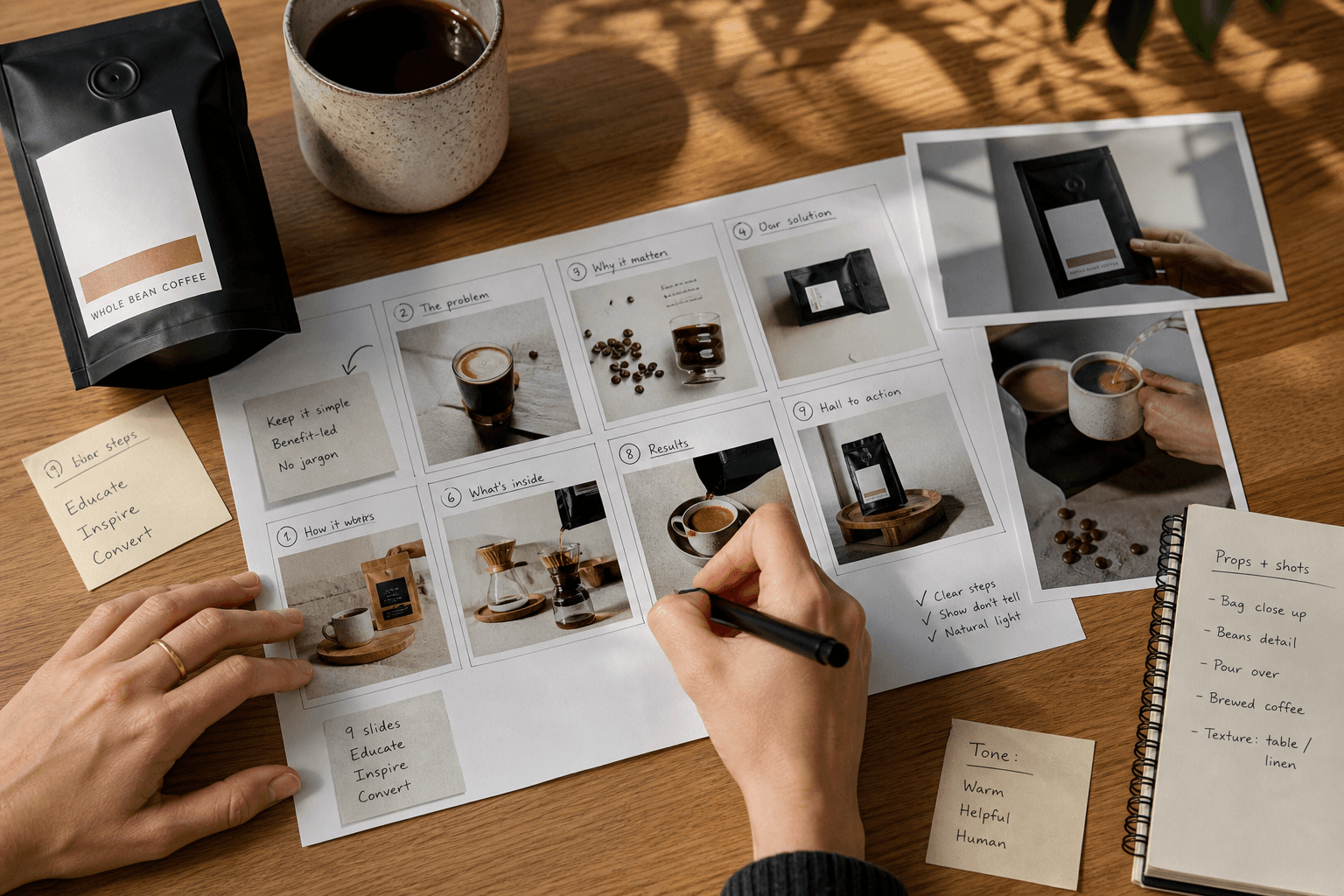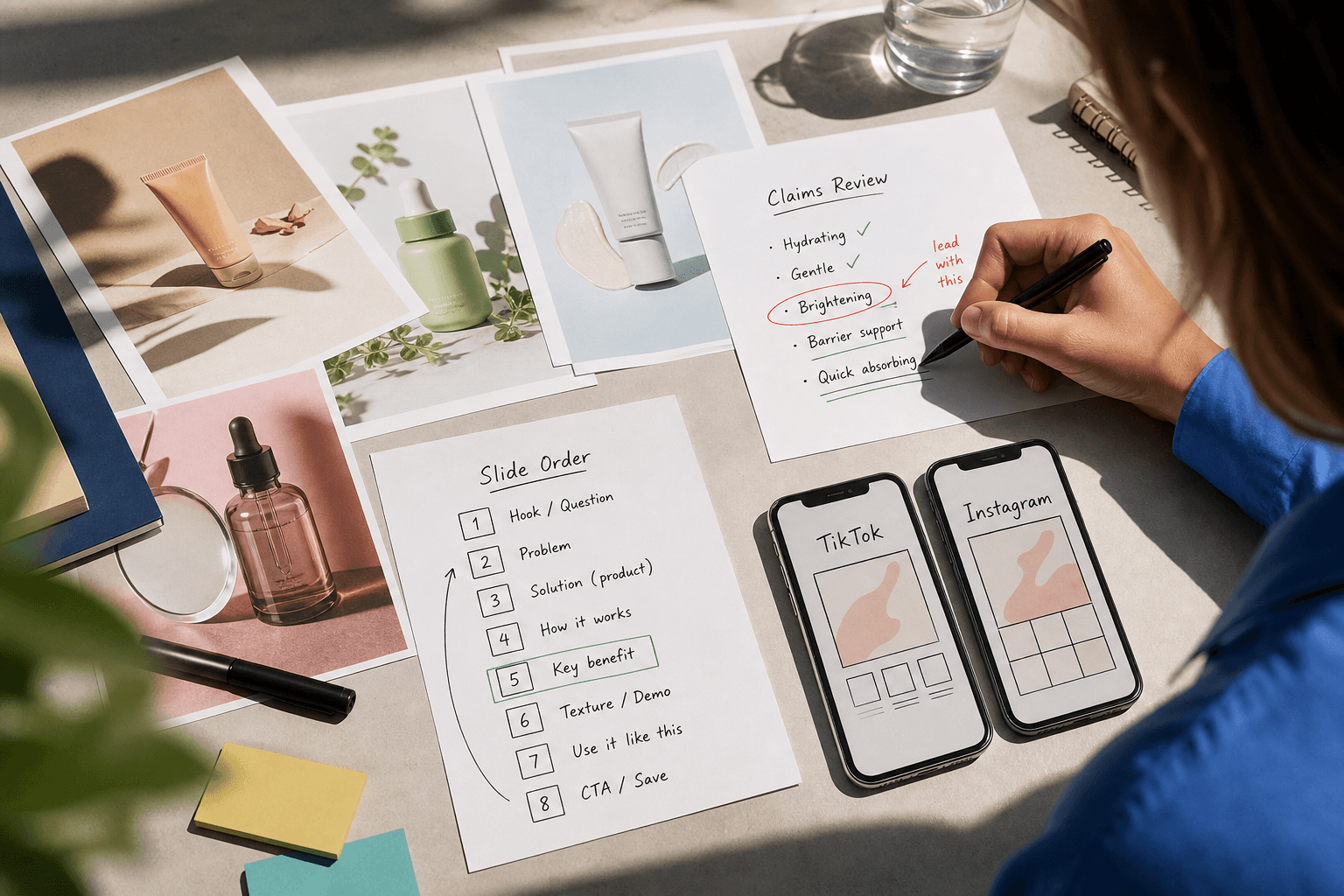
The mistake is outsourcing layout when the real job is editorial
A common handoff goes like this: the team has polished PDP images, a launch date, and just enough optimism to believe a slideshow will assemble itself. An editor gets a folder of product shots, maybe a few review snippets, and an instruction like “make this into a carousel for TikTok, Instagram, and Facebook.” Two review rounds later, the argument is no longer about design. It is about the opening frame, the claims, the order, and whether the same asset was ever supposed to work across all three platforms.
That is the point of view here: for social media slideshow production, product photos are usually not the missing ingredient. The missing ingredient is a sequence brief. If you are outsourcing slideshow or carousel work, your job is to decide the story before someone else starts arranging slides.
That recommendation is strongest when you already have usable still assets but need outside help turning them into finished social creative. If your team has a locked storyboard, approved on-slide copy, and platform-ready specs, a narrower design-only scope can be the better buy. Zagged’s guide to comparing slideshow production proposals by editorial scope is helpful at that point because it separates layout work from the decisions that usually cause rework.
What changes when the slideshow has to live on TikTok, Instagram, and Facebook
The brief should start with placement, because placement changes how much work the still assets must do.
TikTok explicitly supports carousel ads as an image-based alternative when you do not have video or want to reuse image assets from elsewhere, and the format can include up to 35 images according to TikTok’s carousel ad overview. That makes slideshows a legitimate production choice. It does not mean one folder of stills is automatically enough to compete well in TikTok-style environments.
TikTok’s carousel specs matter here because they limit how much the editor can rescue weak sequencing with extra copy. Standard carousel ads use 2 to 35 images, one ad caption, one CTA across the whole unit, and music is required according to TikTok’s carousel ad specifications. In plain English: the order of the frames has to carry the argument.
Meta creates a different problem. You can run image ads in Reels, but Meta’s own business guidance points advertisers toward 9:16 video, audio, and safe-zone-aware creative for stronger Reels execution in many cases, as described in Meta’s Reels ads guidance. That does not prove video always beats slideshows. It does tell you that a slideshow meant mainly for Facebook and Instagram feed is one production job, while a slideshow that also needs to hold up in Reels-heavy placement is another.
So the first decision is simple: are you commissioning a feed-first slideshow, or are you asking still assets to survive in more motion-native inventory too? If it is feed-first, product stills and clear copy may be enough. If it also needs TikTok or Reels traction, the editor usually needs stronger opening text, larger visual contrast, cleaner text hierarchy, and an explicit audio intention.
Read the video transcript
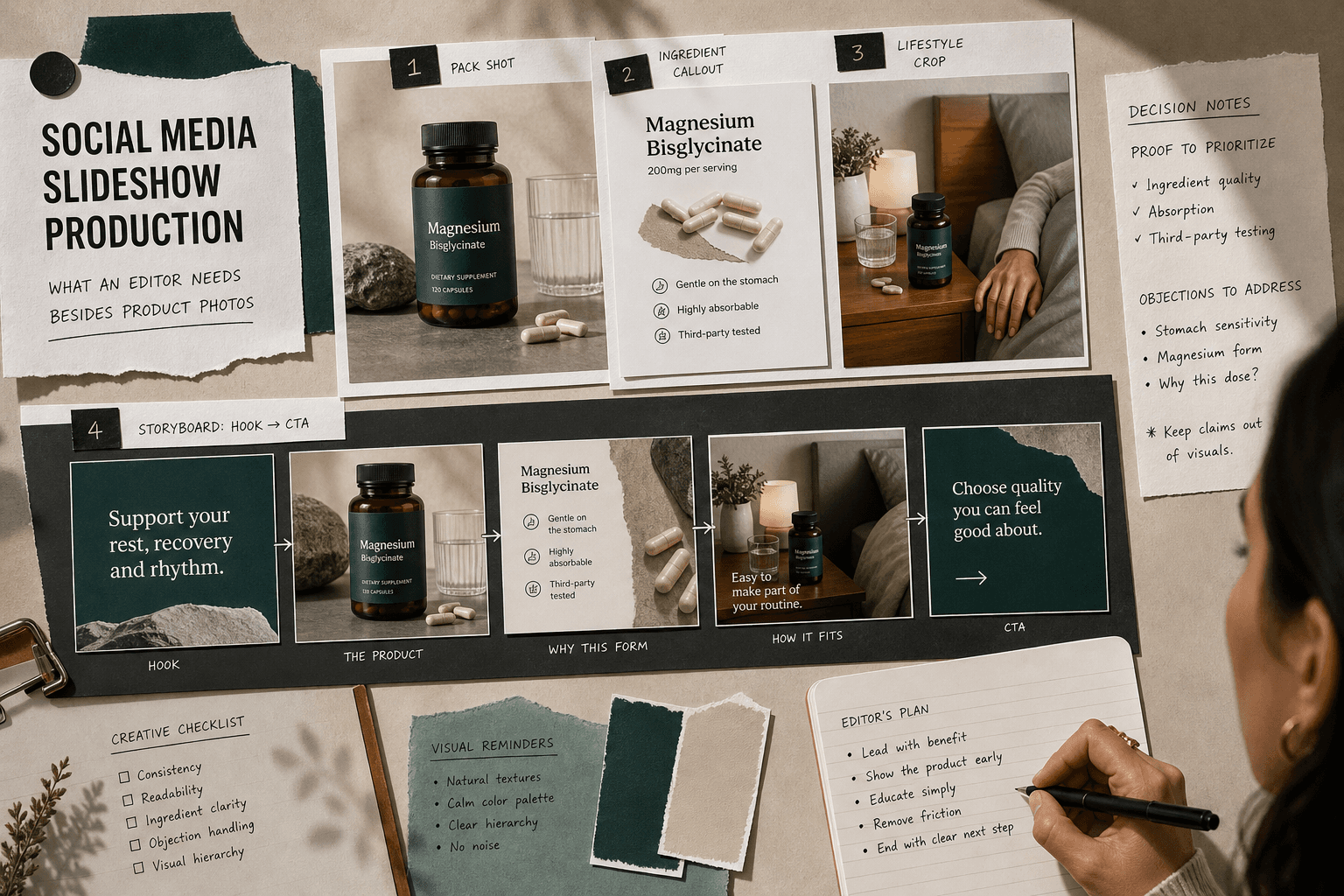
If you've ever handed off polished product photos and still gotten rounds of confusion, the real gap usually isn't design. It's the missing story decisions behind each slide. A slideshow works better when someone decides the order, claims, proof, and platform before editing starts, because viewers judge the argument frame by frame. Besides images, an editor needs a simple slide map, approved claims, proof assets, context, and placement notes so they aren't guessing strategy through design comments. Imagine a magnesium supplement: the opener shows a bedtime problem, later frames identify the user, show the product truth, add approved proof, answer one objection, then ask for the click. That doesn't mean one version fits everywhere. TikTok carousel rules put more pressure on frame order, larger text, and visual contrast, while feed-first builds can pace more patiently. Before buying production, decide what each slide must do, what proof is allowed, and where it runs first. If proof needs demonstration, a slideshow may be the wrong format.
What to send besides photos
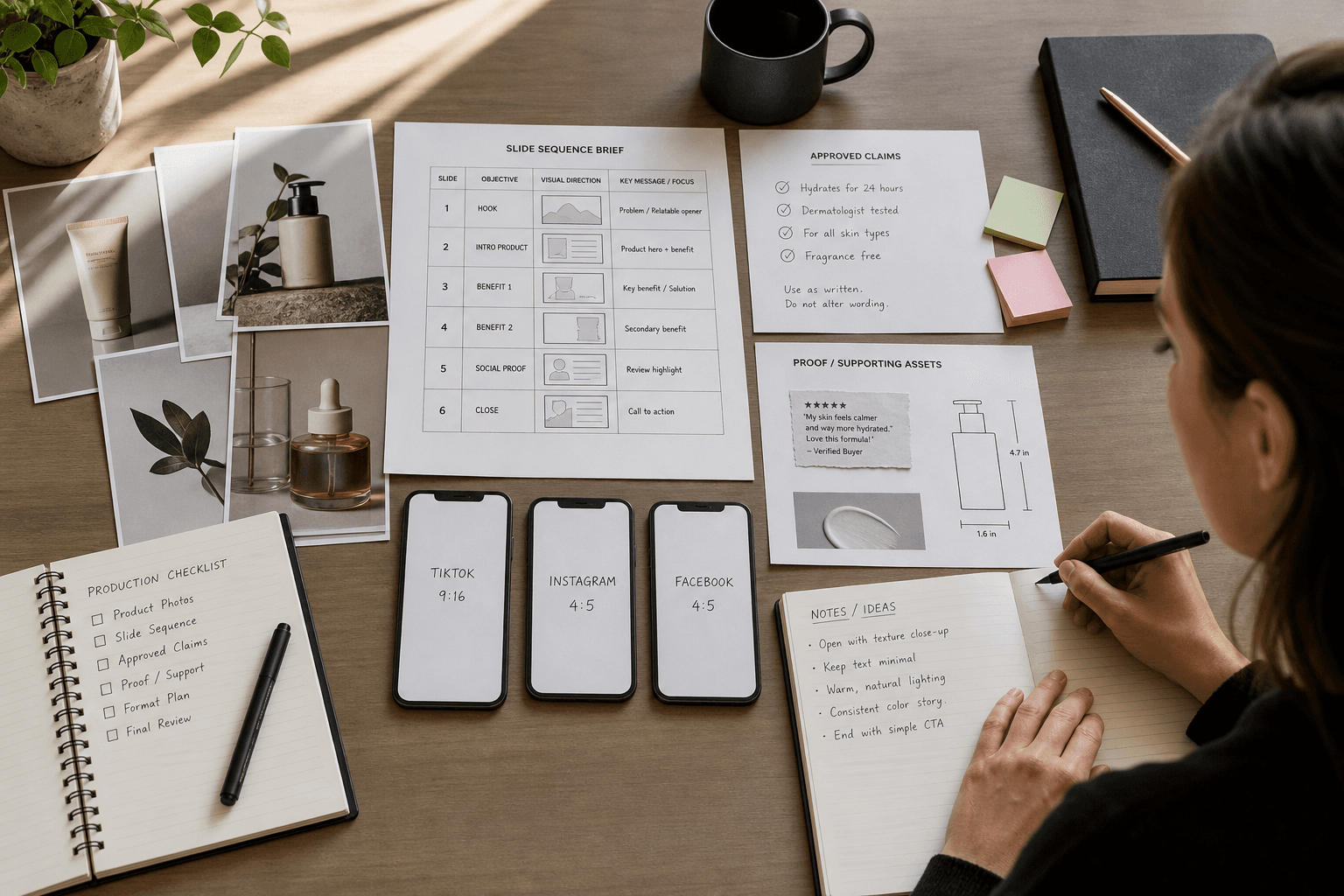
An outsourced editor needs more than images, but not a 40-page brand novel. They need the handful of inputs that let them make correct editorial decisions without guessing.
Start with a slide map. That means naming the job of each frame: hook, user, product truth, proof, objection handling, CTA. If you skip this, the editor has to invent the story, and you will end up approving or rejecting strategy through design comments. That is a tiresome way to spend a week.
Then send an approved claims file. This should include phrases that are allowed, phrases that are banned, and any category rules that matter. If the product can only say “supports” rather than “treats,” or if before-and-after language is off limits, settle that before anyone starts writing on-slide copy.
Next, send proof assets. This is where many briefs collapse. Proof can mean review excerpts you are allowed to use, ingredient facts, certifications, dimensions, comparison data, routine steps, or detail crops that answer a real buying objection. Without proof, a slideshow becomes six politely arranged product photos.
Then send enough lifestyle context to place the product in a real setting. Not a moodboard spiral. Just enough to answer where this belongs: gym bag, bedside table, pantry shelf, bathroom sink. Context helps the editor decide which image should open and which should support.
Finally, specify placement and disclosure rules. If a version is meant for Instagram feed only, say so. If it may also be adapted for TikTok, say that too. If creator endorsement, gifted product, or sponsored messaging appears anywhere, include disclosure instructions. The FTC says disclosures should be clear and hard to miss, and for image-led social posts that can mean superimposed disclosure where needed, according to FTC disclosure guidance for social media endorsements. If your team allows AI-generated or significantly AI-edited elements, note that too. Meta says some ads created or significantly edited with its generative AI features may receive AI labels or related transparency treatment in “About this ad,” as explained in Meta’s update on GenAI ad transparency. The limit here is important: that source informs internal review and asset labeling decisions; it does not give a universal rule for every minor edit.
Worked example: a supplement brief that an editor can actually use
Say you sell a magnesium supplement. You have pack shots, capsule close-ups, ingredient renders, and a few approved review excerpts.
The weak brief sounds like this:
“Need a 6-slide carousel for TikTok, Instagram, and Facebook. Use our product photos. Keep it clean.”
That brief gives the editor files. It does not give them decisions.
A workable brief looks more like this:
Slide 1 job: hook the viewer with the problem. Suggested wording: “Your evening routine doesn’t need twelve steps.” Shot note: use a bedside lifestyle crop, not the bottle on white.
Slide 2 job: identify who this is for. Suggested wording: “For people trying to keep one nightly habit simple.” Shot note: show bottle with water glass or nightstand context.
Slide 3 job: state the product truth. Suggested wording: “Magnesium glycinate capsules.” Shot note: clear pack shot with capsule form visible.
Slide 4 job: add proof without overclaiming. Suggested wording: use approved ingredient callout exactly from claims file. Shot note: ingredient render or label crop.
Slide 5 job: answer the obvious objection. Decision note: choose between a review excerpt or routine integration image depending on whether the main friction is trust or understanding.
Slide 6 job: ask for the click. Suggested wording: “Shop the nightly routine.” Shot note: simple product-plus-context closing frame.
Now follow that same example to the next decision, because this is where many outsourced slideshow jobs go sideways. Should slide 5 use a review or another ingredient panel?
Use the review if the buying objection is “Can I trust this?” and you have permission to use the excerpt. Use the ingredient panel if the objection is “What is in this, exactly?” The choice changes the sequence. A second ingredient panel may be accurate, but it often weakens the story if the viewer already understands the formulation and now needs social proof instead.
This is also where format choice matters. If your product needs visible use, texture, or a person’s credibility to feel believable, do not keep forcing the slideshow. Switch formats. Zagged’s guide on when TikTok slideshows beat a rushed shoot is useful for making that call. For ingredient explanation or routine logic, still frames can work well. For proof that depends on demonstration, they usually cannot.
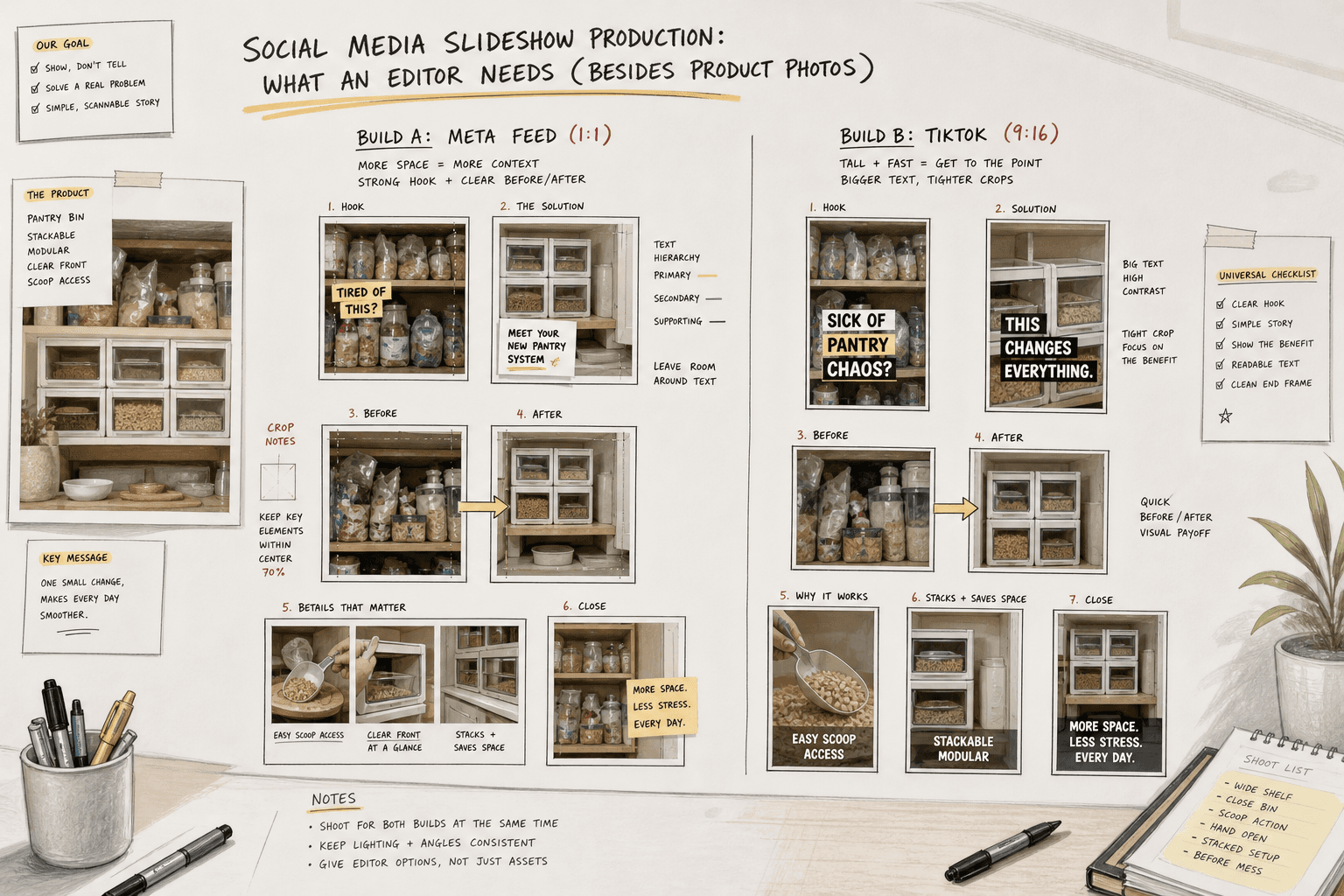
Worked example: one home-goods concept, two platform builds
Imagine you sell stackable pantry bins. You have clean cutout photos, kitchen-in-context images, a dimensions graphic, and detail shots of the handle and stacking edge.
The bad request is “one carousel for all platforms.” Usually that means one compromise for all platforms.
A stronger brief starts with the customer question: “Will this actually make the cabinet easier to use?”
For Instagram and Facebook feed, the sequence might look like this:
Slide 1 hook: “The problem isn’t your pantry. It’s wasted vertical space.” Shot note: overcrowded shelf crop.
Slide 2 proof of change: before/after arrangement showing stacked vs loose items.
Slide 3 practical proof: one key measurement, not the full spec sheet. Suggested wording: “Fits standard shelf height with room to stack.”
Slide 4 use cases: snacks, baking supplies, packets.
Slide 5 detail shot: handle or stacking edge. Decision note: choose the feature that answers the main hesitation. If customers worry about access, lead with handle. If they worry about stability, lead with stacking edge.
Slide 6 CTA: collection shot with direct offer language if approved.
Now adapt the same concept for TikTok. The story can stay the same, but the opening treatment should change because TikTok carousel ads run with one caption and one CTA across the unit, and music is part of the format according to TikTok’s carousel ad specifications. That means the first two frames need to establish the whole premise visually.
So the TikTok notes might read:
“Front-load the before/after. Use tighter crops. Keep slide text shorter and larger. Choose music that supports quick tidy transformation, not slow lifestyle mood. Do not rely on caption text to explain the setup.”
That is a different production brief, even though the asset folder is the same.
How to inspect the delivery before you approve it
Do not review slideshow delivery by asking whether it looks polished. Review it by checking whether each frame does its assigned job.
Start with the first frame. Can someone understand the problem or promise without reading a long caption? If not, the opening will probably struggle in paid placements where the viewer has not chosen to stay.
Then inspect proof. Does the sequence show why the product is worth believing, or does it only repeat product beauty shots with different typography? If proof is weak, decide whether the editor needs a better proof asset or whether the format itself is wrong.
Then inspect placement fit. A feed-first Instagram or Facebook build can succeed with more patient pacing than a TikTok version. If the TikTok adaptation looks like a resized carousel rather than a re-ordered one, send it back. On this point, Zagged’s article on commissioning an explanatory Instagram carousel is useful because it shows what good sequence logic looks like when the job is explanation, not fake motion.
If the slideshow is paid, inspect what changed after launch and let the finding alter the next brief. Look at where engagement drops in the sequence, which placements held attention, and whether the click problem came from the opener or from weak proof later in the story. That is different from saying “track performance.” It means, for example, noticing that Meta feed versions held attention through slide three while the TikTok version lost people immediately, then deciding to test a new first frame and shorter text before declaring the whole concept bad. If you are running repeated opening tests on TikTok, Zagged’s guide to TikTok hook testing helps keep that learning specific enough to use in the next brief.
When outsourcing is the right move, and when it is not
Outsource slideshow production when you already have truthful still assets, approved product facts, and a clear message, but do not have the internal bandwidth to turn them into platform-ready sequences and variants.
Keep it in-house when your team still cannot answer basic editorial questions: what the first frame should say, which objection matters most, what proof is allowed, or where the asset will run first. In that case, outsourcing only relocates the confusion.
Choose a different format when the missing proof is demonstration. If the viewer needs to see texture, fit, application, or believable product use, a slideshow is doing the wrong job. That is when real creator footage becomes the better buy. Zagged’s human UGC service is the relevant path if the asset needs a real person using or explaining the product. The public offer currently shows 50 to 200 fully edited videos at USD $99 each, with a minimum order of $4,950, on the live UGC order page. Those figures describe Zagged’s offer as listed, not a market average and not proof of performance.
And if your bottleneck is not slideshows at all but cutting longer footage into social clips, send that work to Clippin. Clipping and slideshow production can sit next to each other in a content calendar, but they are not the same brief.
Send this before kickoff
Before you commission outsourced social media slideshow production, send one document that settles three decisions.
First, what is each slide supposed to do?
Second, what proof is allowed on screen?
Third, where will each version run first?
If you can answer those clearly, outside production usually gets faster and cheaper to approve. If you cannot, fix the story before you buy the layout. For slideshow production or ad-editing help built from assets you already have, bring that sequence brief to Zagged’s production process for slideshows and creative editing.
Social slideshow storyboard
Build a sequence around one customer question. Decide what each frame contributes before collecting decorative product photos.
The sequence below is an example, not a required slide count. Combine or remove frames that repeat the same point, and verify the export requirements for your chosen platform.
See a completed example
- Reader question and destination
- Example: Which size bag fits a laptop and a day’s essentials? An Instagram carousel for people comparing sizes.
- Opening frame
- Show both bags beside the same laptop. State the specific choice: “Which size fits your everyday carry?”
- Evidence frames
- Use the same camera angle for each bag. Show the actual laptop, charger and bottle inside; label only measurements that have been verified.
- The tradeoff
- Explain the extra carrying room versus external size. Avoid calling one option best for everyone.
- Closing decision
- Tell the reader what to measure or compare next. Link to the relevant product information when the placement supports it.
- Design and accessibility
- Use readable text and consistent comparison scale. Supply descriptive alt text where supported. Keep important information in the caption too.
- Assets and approval
- Attach approved photos, measurements and copy. Identify one approver, placement-specific exports and a final check on a phone.
Make your own brief
Your entries stay in this tab. Download before leaving; they are not saved or sent to Zagged.
Sources & further reading
- About Carousel Ads | TikTok Ads Managerads.tiktok.com
- Specifications for Carousel Ads | TikTok for Businessads.tiktok.com
- Instagram & Facebook Reels: Create Short Video Ads | Meta for Businessfacebook.com
- Disclosures 101 for Social Media Influencers | FTCftc.gov
- Expanding GenAI Transparency for Meta’s Ads Products | Metaabout.fb.com
- Clippinclippin.com
- Zagged UGCzagged.com
- Zagged UGC pricingzagged.com
Published by Zagged Editorial. Updated .